
3D-Guided Neural Rendering is the part of DLSS 5 that’s easiest to misread. It ships as an optional stage alongside Super Resolution, Frame Generation, and Ray Reconstruction, and it’s tempting to lump it in with upscaling. It isn’t. Super Resolution takes a lower-resolution frame and reconstructs something sharper. Neural Rendering works on lighting and material response instead, after the frame is already built. That’s the thing to keep in mind looking at stills below: sharper pores or different-looking hair isn’t “detail that was there all along, finally visible.” Some of it is the model generating something that wasn’t in the original render.
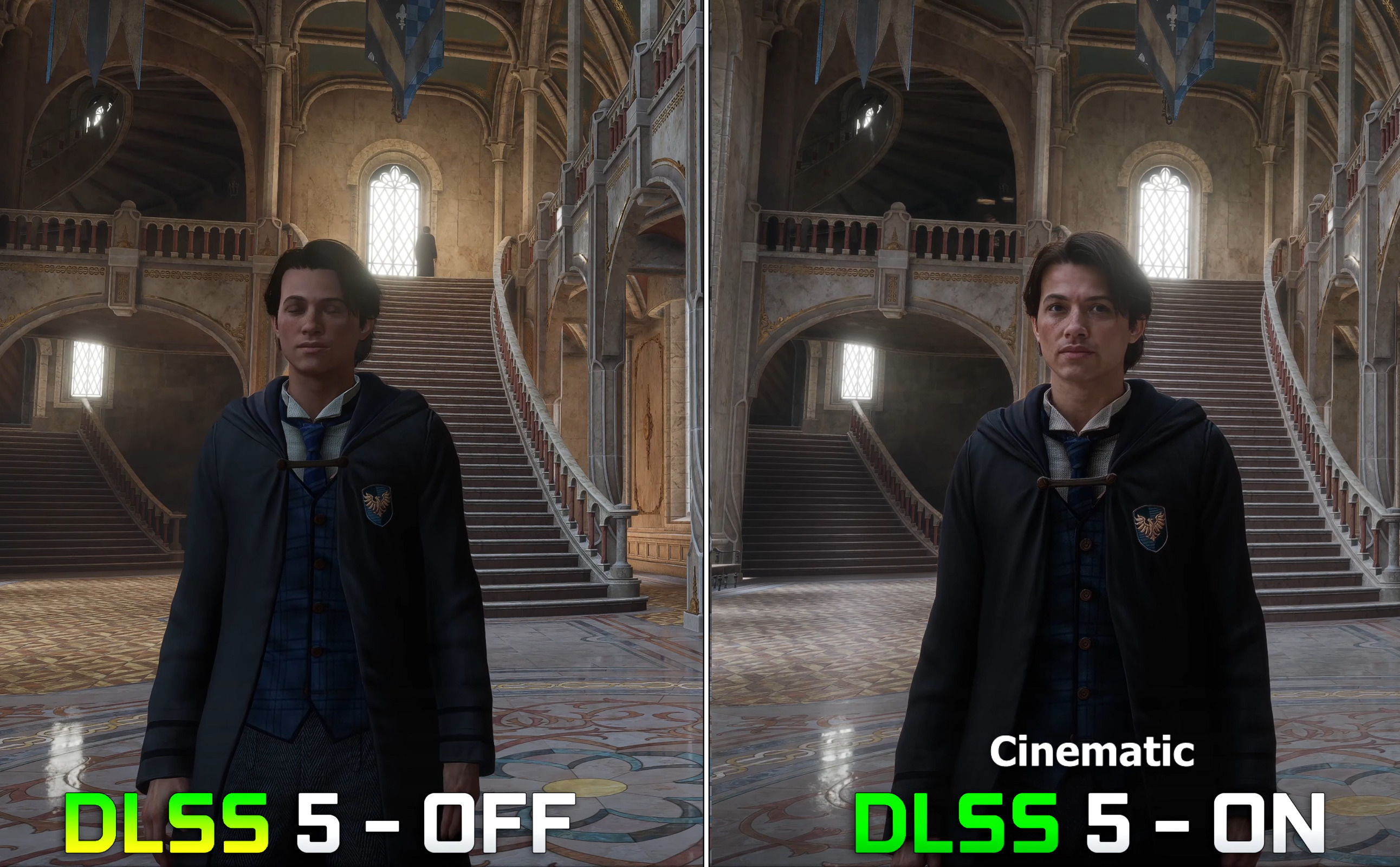
What follows is a matched on/off comparison in Hogwarts Legacy on an RTX 5090, locked camera, same settings, Neural Rendering toggled between shots. I’m not trying to prove anything beyond what a still image can show: what changes when the stage is on, where that looks better or just different, and where I’d stop short of calling it an improvement.
Faces and materials in stills
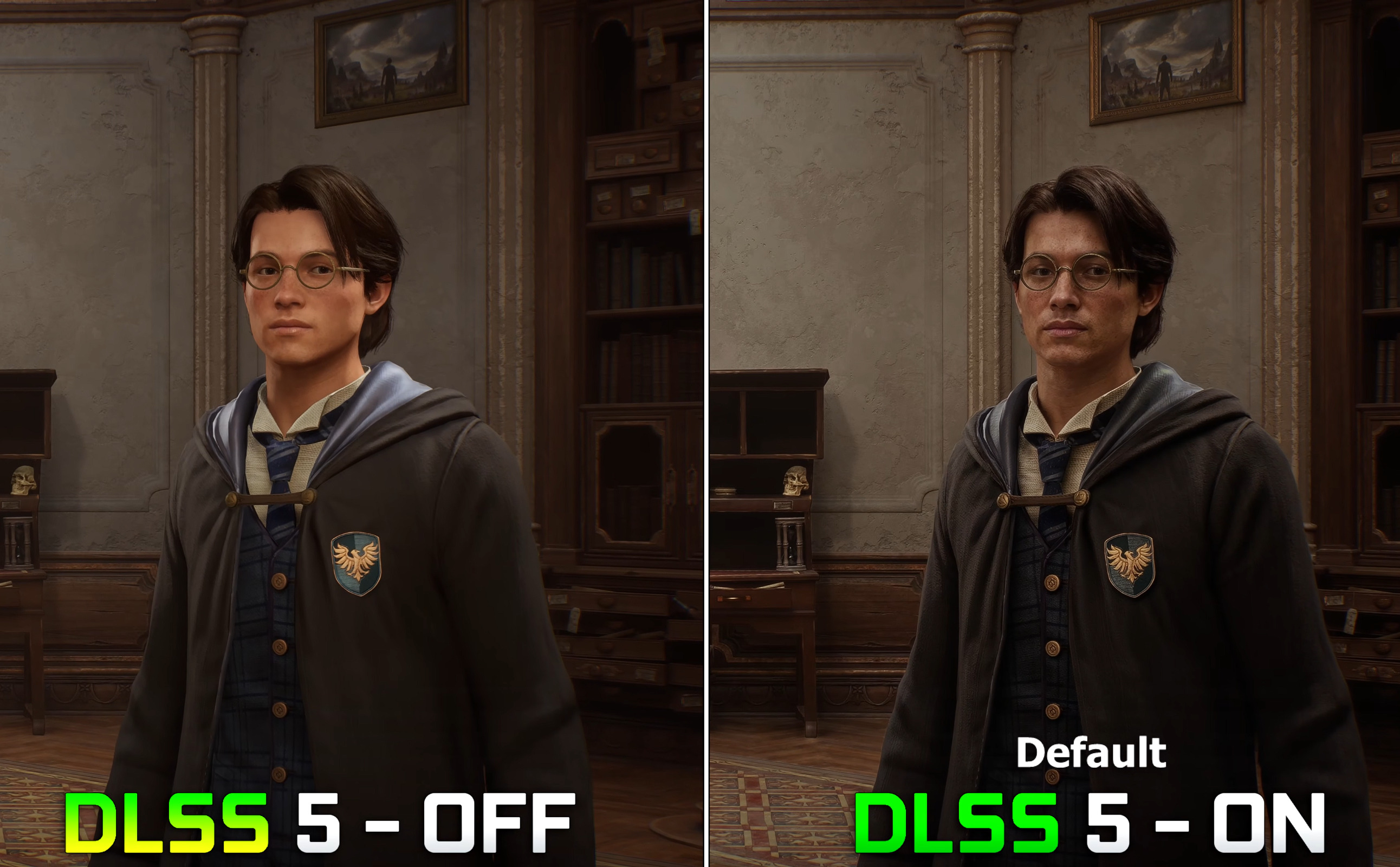
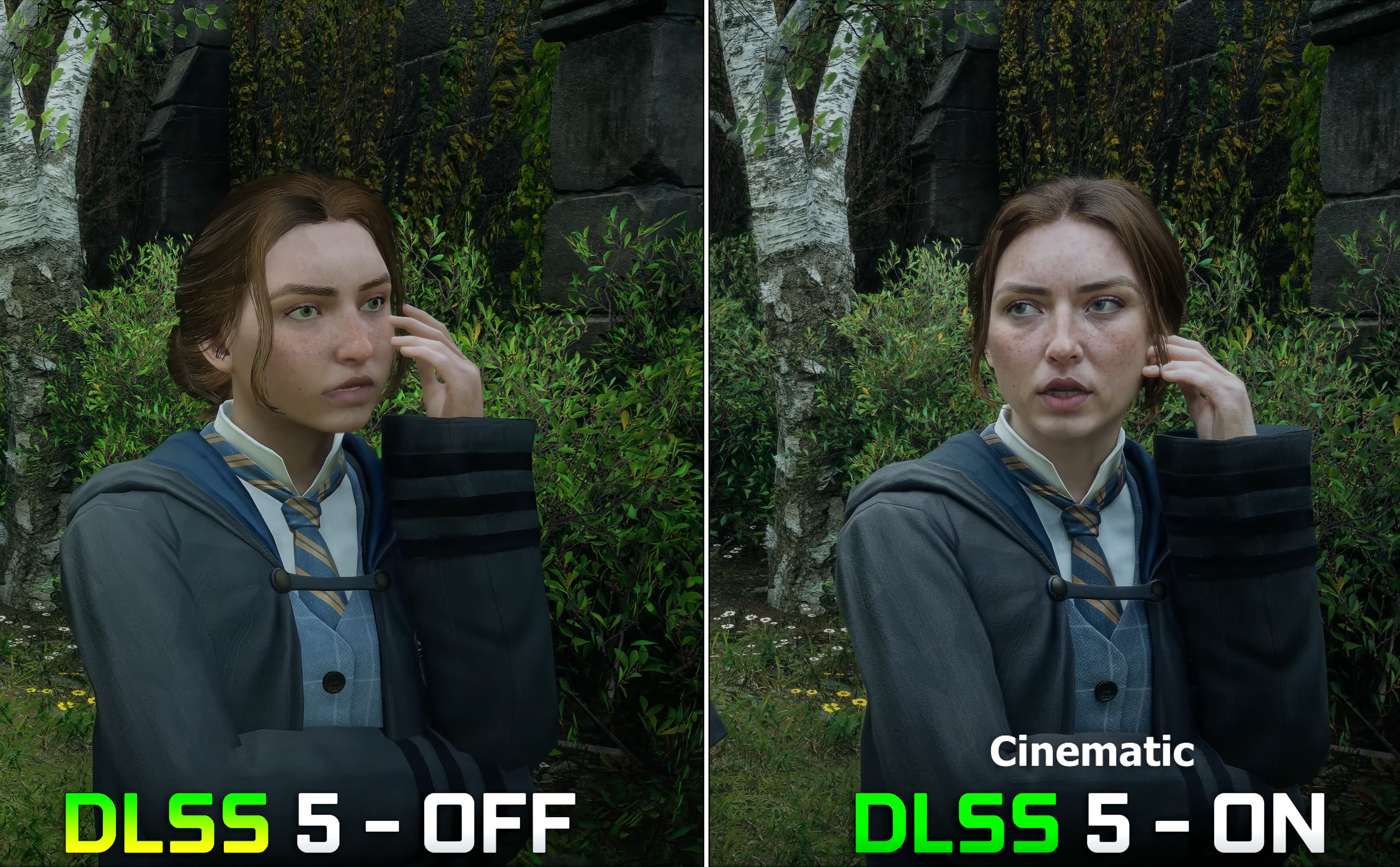
Faces show it first. Skin stops looking like flat plastic once Neural Rendering is on, and hair strands separate from the blur around them instead of blending into it. It’s easy to read that as recovered detail. It’s more accurate to say the neural stage is re-deciding how light and material behave in the frame, and some of that pore and strand contrast is reconstructed rather than uncovered.
Fabric and stone move the same direction: folds hold their shape better, edges read cleaner, the whole image looks calmer. I prefer the on state in both pairs below, for what that’s worth. But “I prefer it” and “it’s closer to a native render” are two different claims, and only one of them is something a still can actually back up.
Outdoor stills: foliage and thin edges
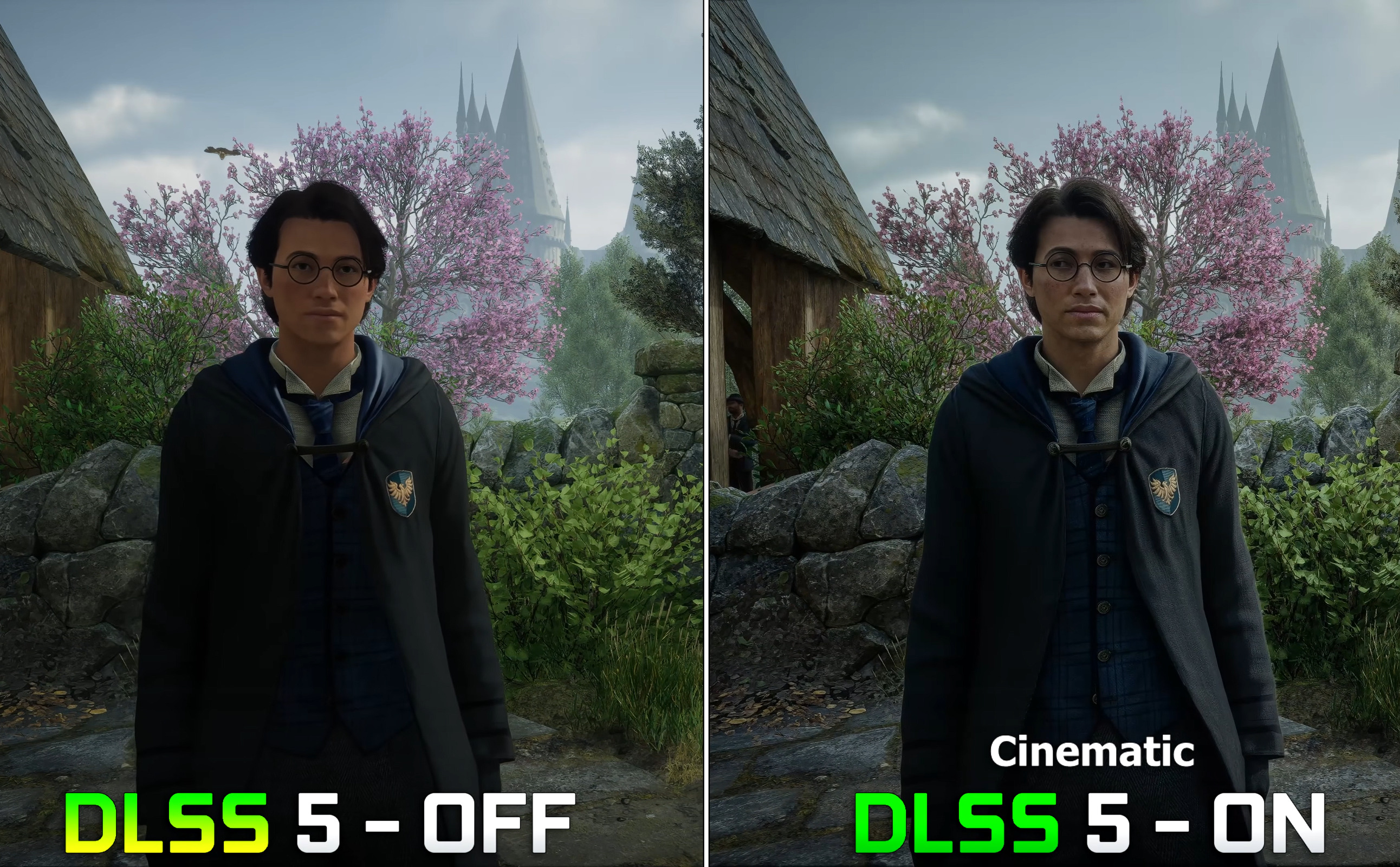
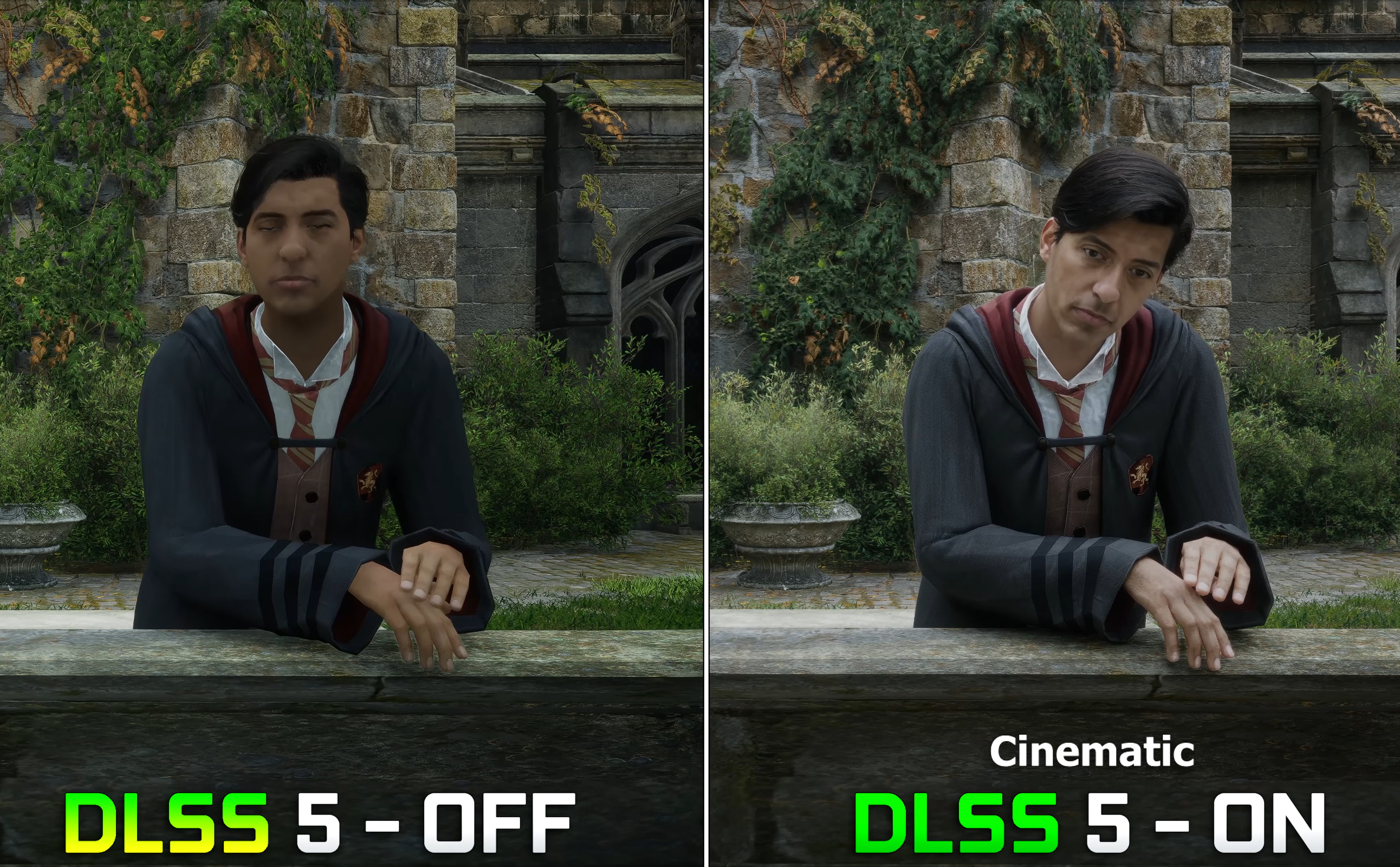
Outdoors is where the comparison gets more interesting, mostly around foliage clumps, ivy, and thin stonework. Leaf edges and distant geometry hold together better with Neural Rendering on instead of turning to mush, and that’s a real difference you can point to in a side-by-side. What it isn’t is evidence about crawling or shimmer while the camera’s moving. That’s a temporal question, and nothing about a still image can answer it.
I like the on stills here for the same reason as the faces: cleaner separation wherever there’s a lot of fine detail packed together. Where I’d hold back is anywhere the neural stage might be inventing contrast that plainly wasn’t in the off image. The honest way to look at each pair is to ask what actually changed, whether you like it, and whether that looks like detail being preserved, replaced, or some mix of both.
Limits of this comparison
To be clear about what this piece does and doesn’t cover: it’s appearance only. There’s no frame-rate number here, no latency figure, nothing about how stable the image stays once things are moving. Neural Rendering sits on top of the render as an added fidelity stage, it isn’t Super Resolution trading internal resolution for speed, so whatever it costs has to be measured on its own, separately from upscaling settings. I’m not reporting frame times in this piece because I didn’t capture any.
Where I landed
Across these RTX 5090 stills, I’d leave Neural Rendering on. Faces, hair, fabric, the fine edges outdoors, all of it reads better, and you don’t need a video clip to see it. What I’m not doing is stretching that into a claim about performance or how the image holds up in motion. Those need matched video and real timing numbers, not a gallery of locked-camera shots.